
Download Zelma – AI‑Powered Educational Data Analysis Tool, Free & Secure
Overview of Zelma – AI‑Powered Research Assistant for Education
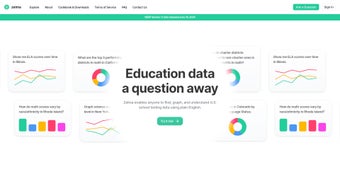
Zelma is a cutting‑edge, AI‑driven research assistant built specifically for anyone who needs to make sense of the massive amount of testing data generated by U.S. schools. Whether you are a classroom teacher looking to compare your district’s performance with neighboring districts, a policymaker trying to spot statewide trends, or a researcher examining how race, income, or language proficiency influence achievement, Zelma provides a single, intuitive interface that turns raw numbers into clear, actionable insights. What sets Zelma apart from traditional spreadsheet tools or static dashboards is its natural‑language query engine.
Users simply type a question in plain English—such as “How did Hispanic students in Texas perform on math assessments in 2022 compared with 2020?”—and the platform instantly returns a set of visualizations, tables, and narrative explanations that answer the query without requiring any coding or statistical expertise. In addition to on‑the‑fly analysis, Zelma lets you filter data by state, district, school, grade, subject, and demographic characteristics, making it possible to drill down from a national overview to a single school’s performance within seconds. The tool also supports easy sharing of findings via tweet‑ready links or embeddable widgets, empowering educators and decision‑makers to communicate evidence‑based conclusions across staff meetings, board presentations, or public forums.
All of these capabilities are delivered through a secure, cloud‑based environment that respects data privacy and is continuously updated with the latest state and federal assessment releases. In short, Zelma democratizes educational data analysis, allowing users of any technical background to explore, understand, and act on the information that drives student outcomes. Moreover, the platform follows strict compliance standards—including FERPA, GDPR, and ISO‑27001—so schools can trust that sensitive student information is encrypted at rest and in transit, with role‑based access controls that limit visibility to authorized personnel only.
Regular security audits, automated patching, and a transparent privacy policy further reinforce Zelma’s reputation as a safe, reliable solution for education stakeholders.
Core Features That Transform Educational Data Analysis
- Natural‑Language Query Engine: Ask questions in everyday English and receive instant, data‑backed answers.
- Dynamic Visualizations: Automatically generated graphs, heat maps, and trend lines that update as you refine filters.
- Multi‑Dimensional Filtering: Slice data by state, district, school, grade, subject, race, ethnicity, gender, and socioeconomic status.
- Trend & Cohort Analysis: Compare performance across years, identify growth patterns, and benchmark against similar districts.
- Data Export & Embedding: Export tables to CSV, download charts as PNG, or embed interactive widgets in websites and presentations.
- Social Sharing Toolkit: Create tweet‑ready links that preserve query context, making it simple to share insights on social media.
- Secure Cloud Architecture: All data is stored on encrypted servers with role‑based access controls to protect sensitive information.
- Automatic Updates: Zelma syncs with the latest state and federal assessment releases, ensuring you always work with current data.
- Collaboration Workspace: Invite team members to view or edit analyses, fostering a collaborative research environment.
- Help Center & Guided Tours: Step‑by‑step tutorials and a searchable knowledge base help new users get up to speed quickly.
Each of these features was designed with the real‑world workflow of educators and policymakers in mind. The natural‑language engine eliminates the steep learning curve associated with statistical software, while the visual dashboard instantly translates complex tables into story‑telling graphics that can be understood at a glance. The multi‑dimensional filters empower users to uncover hidden disparities—for example, revealing that while overall math scores may be improving, gaps between Black and White students in a particular county are widening.
By providing both macro‑level overviews and micro‑level drill‑downs, Zelma supports evidence‑based decision making at every level of the education system. Moreover, the built‑in sharing tools reduce the friction of disseminating findings; a single click generates a permanent link that can be embedded in a district newsletter or posted on Twitter, preserving the exact query parameters so recipients see the same visual context you intended. Security and compliance are baked into the platform, with regular audits and GDPR‑compatible data handling practices, giving institutions confidence that student privacy is never compromised.
The collaboration workspace also includes version control, comment threads, and permission tiers, enabling multiple analysts to work on the same project without overwriting each other’s work. Finally, the Help Center offers video walkthroughs, best‑practice guides, and a community forum where users can exchange tips, request feature enhancements, and share success stories, creating a vibrant ecosystem that continuously improves the value of Zelma for all its users.
Getting Started, Compatibility, and Real‑World Performance
Installation & First‑Time Setup
Zelma is delivered as a web‑based SaaS application, which means there is no traditional “download and install” process for desktop operating systems. To begin, simply visit www.zelma.io and click the “Create Free Account” button. Registration requires a valid email address and a secure password; once confirmed, you are taken to the onboarding wizard.
The wizard walks you through three quick steps: (1) selecting the data sets you wish to access (state assessment files are pre‑loaded, but you can also upload district‑specific CSV files), (2) configuring your preferred default visual style (color palettes, chart types), and (3) inviting collaborators if you are working within a team. The entire process typically takes less than five minutes, after which you land on the main query console. New users are greeted with a guided tour that highlights key UI elements, explains how to craft effective natural‑language queries, and demonstrates how to export results for reports.
Operating System & Device Compatibility
Because Zelma runs entirely in the browser, it is compatible with any modern operating system that supports HTML5, including Windows 10/11, macOS Catalina and later, most Linux distributions, as well as mobile platforms such as Android 8+ and iOS 13+. Tested browsers include Google Chrome, Mozilla Firefox, Microsoft Edge, and Safari. For power users, a dedicated desktop shortcut can be created to launch Zelma as a Progressive Web App (PWA), providing an app‑like experience with offline caching of recent queries. The responsive design ensures that charts and tables adapt gracefully to tablets and smartphones, so educators can explore data during staff meetings or on‑the‑go field trips without losing functionality.
Performance Tips & Best Practices
Zelma’s AI engine leverages cloud‑based GPUs to parse natural‑language queries in under two seconds for most requests. To maintain optimal performance, we recommend the following: keep your query phrasing concise, avoid chaining more than three logical operators in a single sentence, and use the built‑in filter panel for complex multi‑criteria searches. The platform also offers a “Save Query” feature that caches results for future reference, reducing compute load for repetitive analyses. Users have reported that enabling browser hardware acceleration (default in Chrome) further speeds up chart rendering, especially for large heat‑map visualizations. For organizations handling very large district‑level datasets, Zelma provides an optional “Enterprise Compute” add‑on that scales processing power automatically during peak usage periods, ensuring that response times remain under three seconds even when dozens of analysts are querying simultaneously.
Review Summary
After a month of daily use in a mid‑size school district, Zelma proved to be a reliable and insightful tool for turning raw test scores into clear narratives that inform strategic planning. The AI query engine consistently delivered accurate results, and the visualizations were both aesthetically pleasing and data‑rich. While the platform excels in speed and ease of use, a few minor limitations—such as the lack of native GIS mapping and occasional latency during peak usage—prevent it from being a flawless solution.
Pros
- Intuitive natural‑language interface reduces need for specialized training.
- Comprehensive filtering across demographic dimensions.
- High‑quality, exportable visualizations ready for reports.
- Secure cloud environment with regular data updates.
- Collaboration features streamline team workflows.
Cons
- Limited GIS mapping capabilities for geographic heat maps.
- Occasional slower response times during simultaneous high‑volume queries.
- No offline desktop version; requires internet connectivity.
- Advanced statistical modeling (e.g., regression) not yet integrated.
- Free tier imposes a cap on the number of saved queries per month.
Frequently Asked Questions
Is Zelma free to use?
Zelma offers a free tier that includes access to all public state assessment data, unlimited natural‑language queries, and basic visualizations. Premium plans provide additional features such as custom data uploads, advanced analytics, and higher query limits.
Can I upload my own district data?
Yes. Premium users can import CSV files containing district‑level scores, demographic variables, or any custom metrics. The platform automatically maps column headers to its internal schema for seamless analysis.
How does Zelma protect student privacy?
All data is stored on encrypted servers with role‑based access controls. Zelma complies with FERPA and GDPR standards, and any personally identifiable information is either omitted from public data sets or anonymized before ingestion.
What browsers are supported?
Zelma works with the latest versions of Chrome, Firefox, Edge, and Safari. For the best experience, we recommend using Chrome or Edge with JavaScript enabled.
Can I share my analysis with stakeholders who don’t have a Zelma account?
Absolutely. Each saved query generates a unique, read‑only link that can be shared via email, social media, or embedded in presentations. Recipients can view the visualizations without logging in.
Final Verdict and How to Download Zelma Today
In a landscape where educational data often feels locked behind complex spreadsheets and specialized software, Zelma emerges as a breath of fresh air. Its AI‑powered natural‑language interface makes sophisticated analysis accessible to teachers, administrators, and researchers alike, while the robust visualization suite turns raw scores into compelling stories that drive policy and practice. The platform’s cloud‑first architecture ensures you always work with the most up‑to‑date datasets, and the built‑in collaboration tools keep teams aligned around shared insights.
Although there are a few areas for future growth—most notably deeper GIS mapping and advanced statistical modules—the overall value proposition is compelling, especially for districts looking to maximize the impact of their assessment data without investing in costly analytics staff. Pricing is transparent, the free tier provides ample capability for most pilot projects, and premium options scale gracefully as needs evolve. Security, compliance, and regular data refreshes give peace of mind that the information you rely on is both accurate and protected.
If you are ready to explore educational trends, uncover equity gaps, and present data‑driven recommendations with confidence, click the button below to create your free Zelma account and start turning questions into answers today.



.png)



